Play buffers from URLs - ~buffer = Buffer.read(s, "https://sc.dennis-scheiba.com/freqshiftfb.mp3") - pay attention to cross-origin headers of the server! You can load wav, ogg, mp3, flac and opus. The de/encoders add around 4 mb to sclang/scsynth, so doubling their size - I’ll therefore release 2 versions of the wasm build - w/ and w/o libsndfile support
add MouseX, MouseY, MouseButton and KeyState UGens
There is also already the possibility to load quarks, but this is more for the curious ones who dig into the source code since I still need to figure some things out for that.
Add dedicated buttons for eval/cmdperiod on mobile
Compatibility w/ strudel/tidalcycles
Share files between lang/server
LSP support… [bigger one]
Syncing of lang/server [bigger one]
btw - what is the consensus on deploying this website on code.supercollider.online once it has reached a more stable state?
I’d also like to collect some examples from the community which can be loaded at random via a button - should we use a repo to collect those?
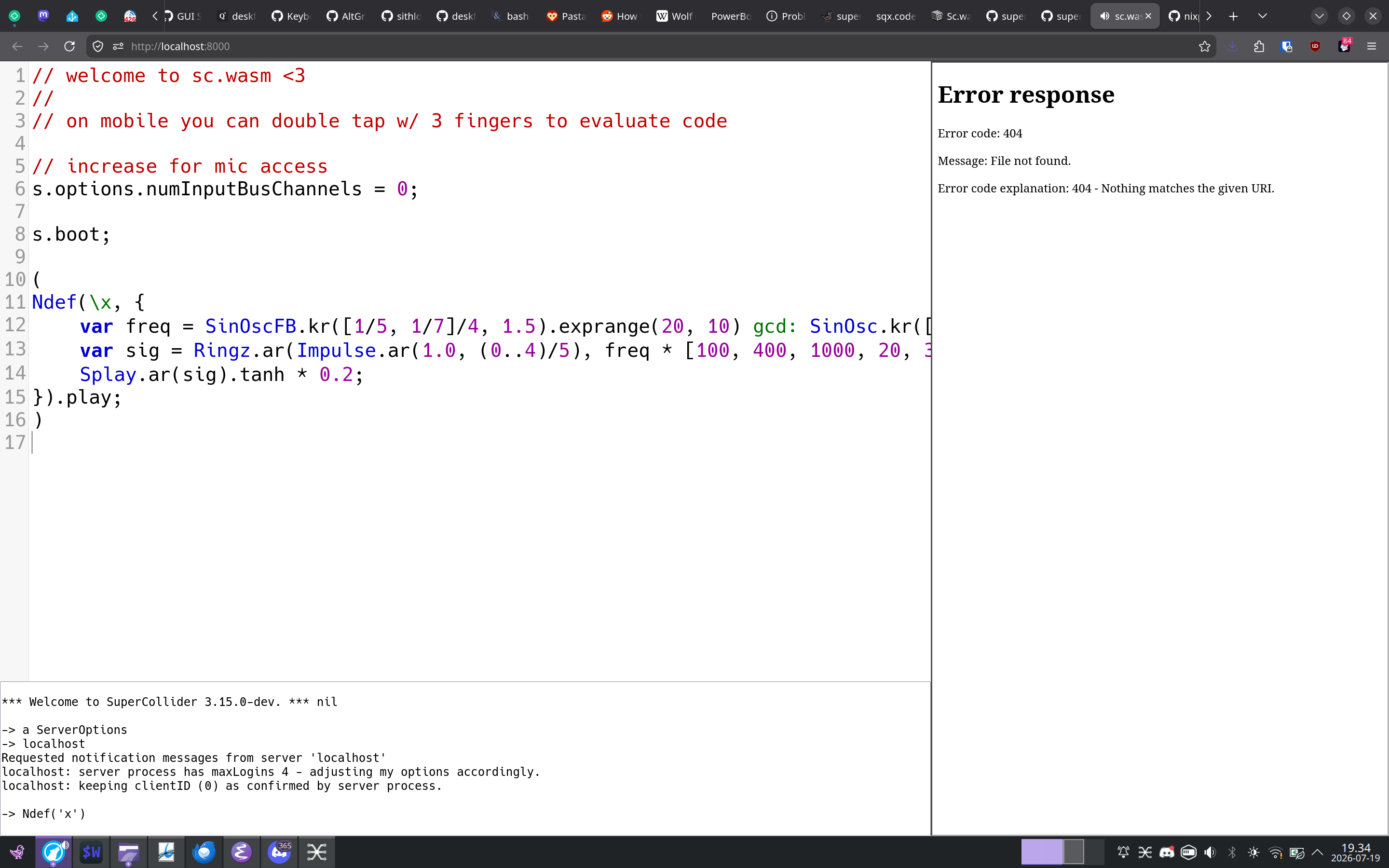
Had this on my bookmarks for some time but just now tested it and sorta freaked out as soon as I did s.boot and {SinOsc.ar}.play and it worked, really amazing stuff in front of my eyes/ears. Congrats on this development! This will be huge for teaching and for prototyping anywhere!!!
Congrats to get the build running, good to know that the setup works not just on my machine and CI! Just in case: you can download the build via the CI as well
You’d have to use SCDoc.renderAll through your locally installed SC to get a local copy of the docs - afterwards you’d have to copy the generated HTML files (use SCDoc.helpTargetDir.openOS) into a docs folder of the folder from which you serve the website - check the browser console for the specific page that is missing.
The original idea was to use an iframe to https://docs.supercollider.online/ but github pages does not set the access headers to allow for that…
i am building with Nix, so the locally installed SC is not really available but i can of course do a native build to render the docs. it turns out the CMake build already includes a doc target (when configured with -DSC_DOC_RENDER=1) which does SCDoc.renderAll.
would love to get redFrik on it and get the sc-tweet revival, between code lyric and golfing.
Next step is getting the sclang PR merged which then is followed with the libsndfile and buffer extension (which is already deployed on the website above) and then improving the syncronization between client and server which could be tricky. I may look into loading/adding server plugins, but I don’t really know how this is feasible. It is also already possible to load Quarks, but the problem is that we have no space to download them easily, which will be solved by the package manager.
I may also look into serving the docs through the sclang wasm.
Once this is done I want to improve the editor and deploy it under code.supercollider.online so it becomes less “my personal project” but one of the community.
It would also be nice to have some way of having multiple little code snippets that you can play on the same webpage. Perhaps with a shared server but multiple editors. Im thinking about examples on the SC webpage?
I have lots of questions. I think my biggest one is what your goal is? Do you want to arrive at feature parity with SC IDE? Performance parity as well? I am very impressed by what you have done and I am very excited for the future.
Your patches are great! I especially liked the snare one. Lots of variation. Oh and great about the numInputBusChannels=0 line. I had a feeling that would work. Great to get rid of that scary asking the user for access to microphone dialog. Oh and the s.sync I also had a feeling would clear up an initial late message I had. Great! Thanks for those.
How would you feel about a “startup file” that could be hidden away in another code tab and would be included when sharing a link? I would love to have a way to provide just a clean interface for a user (a Pattern code block).
Just tested your code on Chrome and it works for me. Maybe you have tested it on a mobile phone and did forget to get out of silent mode (i.e. on iPhone the left switch).
If it still doesn’t work, can you see if the dev console shows some messages?
How would you feel about a “startup file” that could be hidden away in another code tab and would be included when sharing a link? I would love to have a way to provide just a clean interface for a user (a Pattern code block).
I’m thinking to do a workshop this semester (proposals due tomorrow ) and was thinking this would be a good way to ship sc with some language extensions (I guess extra UGen packs don’t have wasm builds yet) to an unknown number of computers, quickly.
That is, “was able to” could be either “fairly straightforward” or “I pitched my computer out the window doing this” and I can’t quite tell from the original wording
There is no real advantage of building wasm oneself beyond development, but all build steps are documented except displaying the docs in the example editor which was the question here.
If you want the most recent build (i.e. w/ mp3 and sensor/mouse support etc, which has not been merged into mainline yet) simply download it via the network inspector of your browser from https://sc.dennis-scheiba.com/ and see supercollider/README_WASM.md at develop · supercollider/supercollider · GitHub how a webserver needs to be configured in order to allow SharedArrayBuffers on it, which is necessary for sc.wasm if you want to deploy it on your own website.
The build deployed on my website has a (yet) undocumented and untested async function called sclang.downloadFile(url, path), so if you want some extra classes/quarks, you would have to write a JS function block which gets evaluated for each file of your quark and save them to the /sc/SCClassLibrary folder (or else) and then execute thisProcess.recompile.
You can also use JS.runCode to execute JavaScript directly from within sclang, but I am not sure how reliable this is and this is fire and forget, so no way to tell if it was successful (have to make this a promise so it is possible to call back into sclang again…)
You could share a snippet link (use the share button) where you prepare everything in sclang and then people simply evaluate the first block of your setup and then they should be ready to go.
The future package manager should make this a bit easier b/c downloading code from GitHub is not trivial anymore, so best is to put these files onto your own web server.
Server extensions are not yet supported, but may be in the future - I need to look into how to dynamically load wasm modules, which seems possible.
Good luck if you use it, would be awesome Please provide feedback if you used it!
Was also thinking about something similar.
I first want to get the sclang wasm build merged and then spend some time on improving the code sharing aspect - also want to add some kind of auto-complete and help system to it, but there is also something in the works for that
There are still some bugs in the implementation which I have to iron out, if you come across any bugs, please post them here w/ a reproducer!


 ) and was thinking this would be a good way to ship sc with some language extensions (I guess extra UGen packs don’t have wasm builds yet) to an unknown number of computers, quickly.