Blue screen of death and instabilities on Windows

Hi everyone,
I’ve recently found myself facing a problem I’ve never encountered before.

It’s a project where I need to use SuperCollider. The project architecture isn’t particularly complicated or demanding. There aren’t even that many synthesis elements, let alone audio files to be read in real time from the PC.

However, I tried setting up the same code on four different Windows PCs and, in every case, when Sclang starts interpreting the code, one of the following happens:

  • either the code execution crashes and doesn’t continue (the only solution is to force-close scsynth / sclang / scide via the Task Manager);
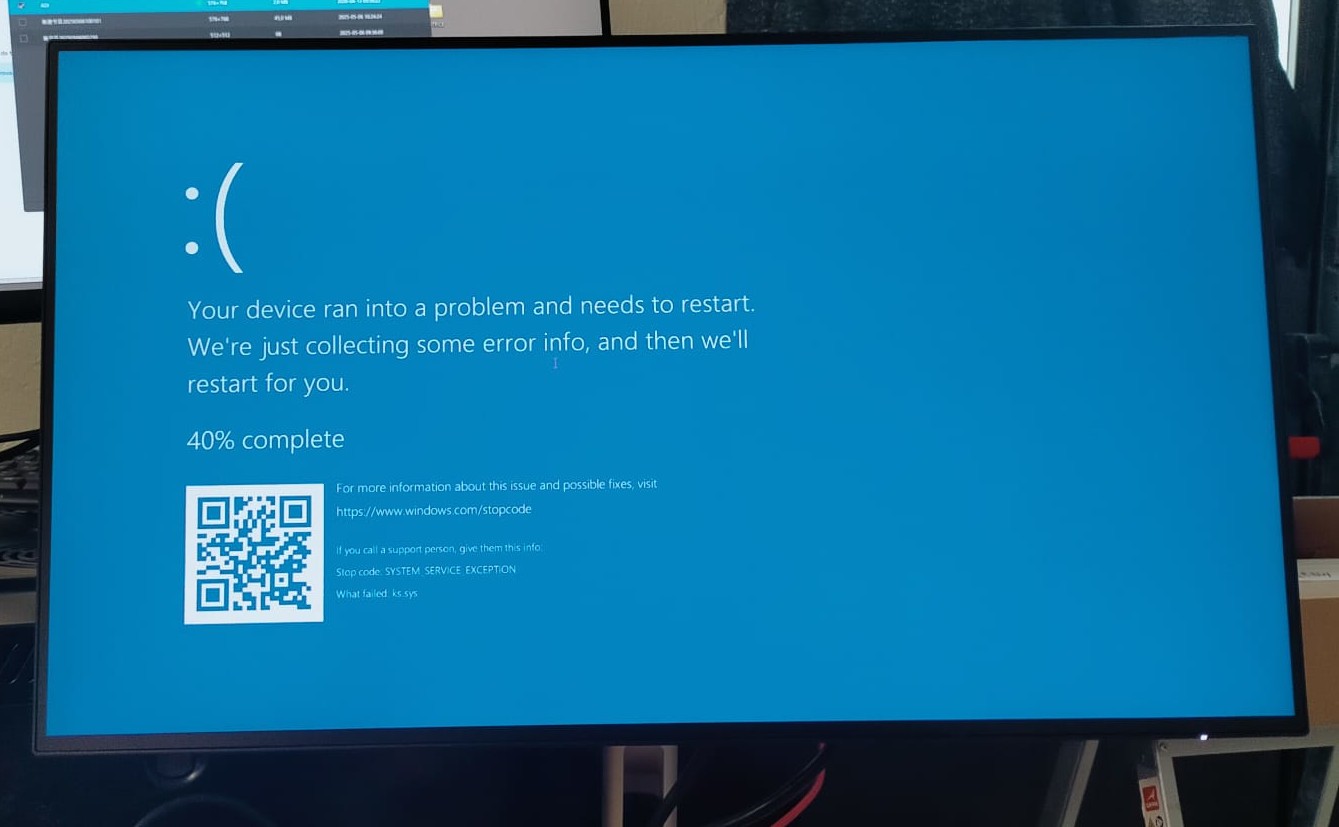
  • Blue Screen of Death (image below);

The PCs I used are:

  • Geecom mini PC (unfortunately, I wasn’t able to save the specifications);
  • HP mini PC with Windows 11 Pro, processor 13th Gen Intel(R) Core™ i5-13500T (1.60 GHz), 16.0 GB RAM;
  • HISTTON mini PC with Windows 10 Pro, processor Intel(R) Core™ i7-8709G CPU @ 3.10 GHz, 16.0 GB RAM;
  • Custom-built tower PC with Windows 11 Pro, processor: AMD Ryzen 7 9700X 8-Core Processor (3.80 GHz), installed RAM 32.0 GB (31.2 GB usable);

The only way I’ve found so far to prevent the problem from recurring so frequently is to insert s.sync; or 3.wait; commands whenever I instantiate a single synth/bus or load an external file (.loadRelative);

This has never happened to me before in almost 10 years i’ve used SC in installation like this. Have you ever experienced anything like this? Or do you know why this might happen?

Which SC version are you using? Is this consistent across e.g. 3.12, 3.13 and 3.14 (and 3.15/dev?).

And what exactly are you doing in the installation / script? Is it heavy network access or what is happening? And what interface are you using (and audio backend?).

Thank you @dscheiba ,

In this latest setup, I’m using SuperCollider version 3.13.0; in previous setups – somewhat less successful – I was using the latest version of the software, 3.14.1.

I’m using a Tascam US-16x08 sound interface (I use it very often) with software version 4.00.006 and firmware version 2.10.0024. I’m working at 48 kHz.

Basically, in my project, I’m loading samples to be played in a loop or triggered depending on the interaction that occurs via the reception of OSC messages from other software. The network traffic isn’t excessive. I’m also using MIDI in order to send noteOn/Off and CC messages to an external musica instrument.

I’ve now noticed that the code, whilst loading, seems to stall, or at least encounter difficulties with the MIDI section.

The issue presented again to me this morning, multiple time. In practice, in the real use case I would use the MidiOut(1) output, which corresponds to the Tascam’s 5-pin DIN MIDI output. However, for testing purposes I am currently using the Windows internal synthesiser (Microsoft GS Wavetable Synth), which corresponds to MidiOut(0).

I’ve just noticed that, this morning, when the PC started up, the code worked correctly, but after I shut it down, it didn’t restart properly (I had to force-close sclang, scide and scsynth several times via the Task Manager), even after several attempts, at least until I changed this line of code from MidiOut(0) to MidiOut(1).

Can this be the cause of the code remaining stucked? or to produce, in other PCs the Blue sceen of death?

by the way, the incipit of the midi-manager script I’m loading is the following one:

MIDIClient.init;
s.sync;

~midi_out = MIDIOut(0); 
~midi_channel_manual_1 = 0;
~midi_channel_manual_2 = 1;
~midi_channel_manual_3 = 2;
~midi_channel_pedal    = 3;

Microsoft recently introduced bugs into the MIDI layer. I don’t have the reference handy but I’ve seen Cubase freeze on a student’s Windows machine lately, getting stuck initializing MIDI (that and M$ accidentally killed loopMIDI).

Another of those “‘80% of our code is written by AI’ isn’t the flex Satya Nadella thinks it is” things. (“Oh pretty please stop calling it slop” :laughing: )

hjh