Hi,
Probably I missed the point.
I am running the extension vstplugin v0.5.4 on SC 3.13.0 and on mac osx 12.7.2.
How can I solve the following black-listed plugins?
-> VSTPlugin
searching in '¨~/Library/Audio/Plug-Ins/VST'...
found 0 plugins
searching in '/Library/Audio/Plug-Ins/VST'...
'/Library/Audio/Plug-Ins/VST/ATKCompressor.vst' is black-listed.
'/Library/Audio/Plug-Ins/VST/ATKTransientShaper.vst' is black-listed.
'/Library/Audio/Plug-Ins/VST/ATKTransientSplitter.vst' is black-listed.
...
VSTPlugin.clear;
VSTPlugin.search(s);
------------
// Post window
waiting for '/Library/Audio/Plug-Ins/VST/ATKCompressor.vst'...
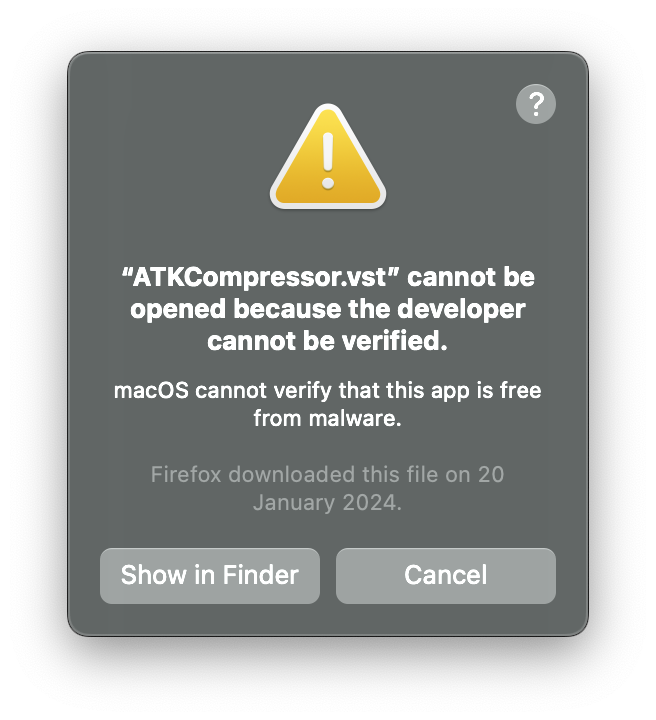
// then I get the popup (see screen capture below) ...
// so whatever I choose "Show in Finder" or "Cancel" the console output:
probing /Library/Audio/Plug-Ins/VST/ATKCompressor.vst... couldn't load! Operation not permitted [1]
------------
Thanks! The commands above try to add the VST plugins to the GateKeeper’s whitelist, e.g. if plugins are not notarized or codesigned. Seems like this has been deprecated. (I remember I’ve heard that before.) Actually, SuperCollider is built with entitlements to allow unnotarized plugins, so I think spctl shouldn’t be necessary anyway.
In your case, I think the problem was that the plugins are not notarized and had the quarantine attribute set (e.g. because they have been downloaded with Safari). Sam’s solution removed the quarantine attribute, that’s why the plugins worked again.