STATUS: zed-supercollider is now feature-complete and roughly polished. A coherernt release/installation story remains to be hashed out, but everything you need to use it with a little legwork is now in the README.
Greetings everyone,
I’m not so much around here, but I’ve recently been learning how to do modern structured vibecoding with Claude Code & Codex and I decided to take on porting scnvim / vscode-supercollider to Zed as a test project.
I wasn’t really happy with VS Code (heavy, ugly) and the native IDE (no vim!), and while I do like scnvim, there’s something about doing SuperCollider in a proper IDE that just feels right to me.
This project has gone remarkably well given I’ve written literally zero lines of code. It’ll be a week or two until it’s wrapped up, but I figured I’d share now that it just about about works in case anyone else has been wanting this.
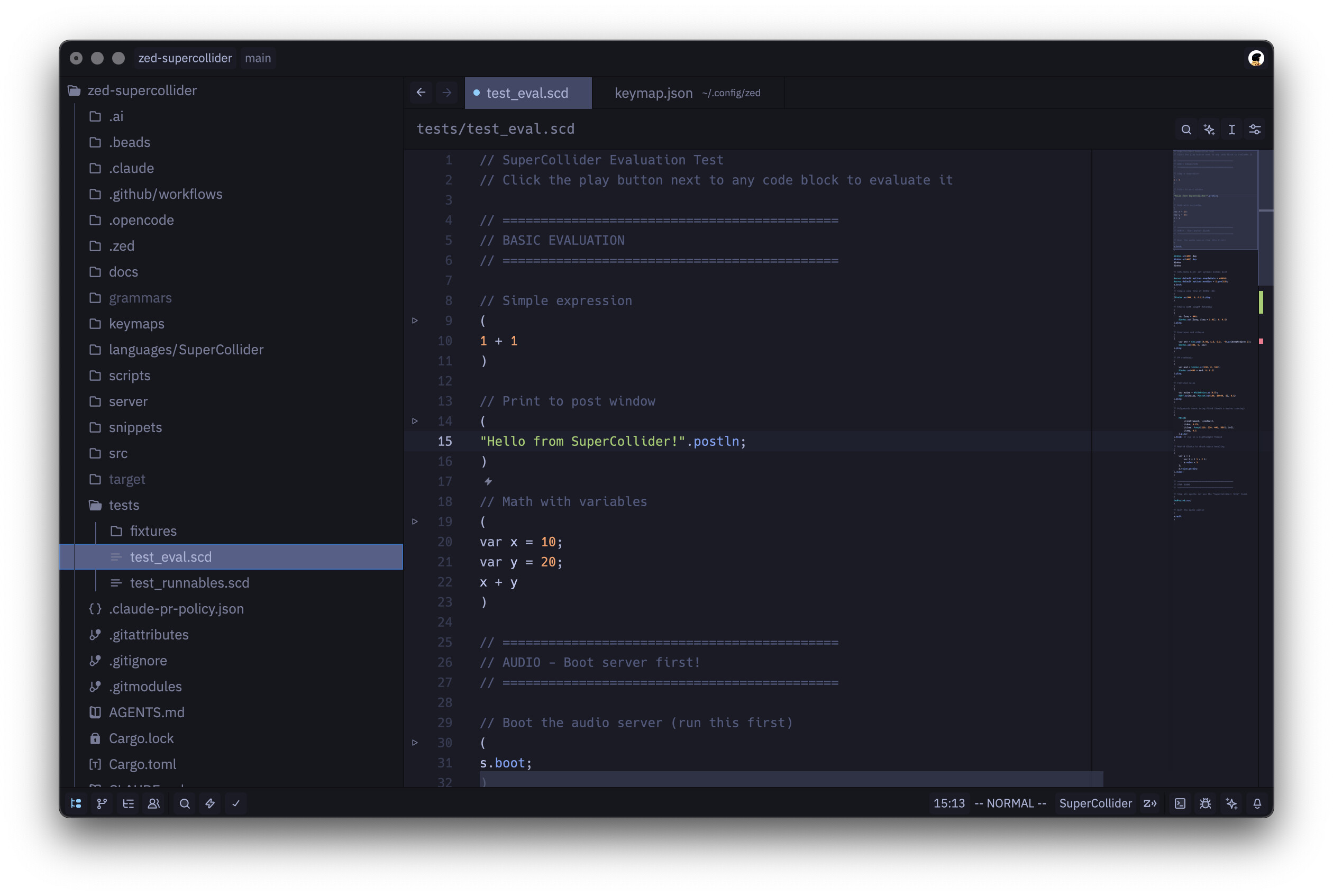
The main caveat right now is installation. In its current state, it only works reliably if you open the zed-supercollider project itself in Zed, because it expects certain files to be present in the workspace. Packaging this into something cleaner will likely involve coordinating at least three moving parts, and I don’t think it’ll ever be a true one-click install.
For now, if you run the build script, install the dev extension, and keep your .scd files inside the project, it’s close to feature-complete.
You’ll probably also want to set up keybindings manually. There may be config you can copy/paste from the repo into Zed’s keybindings file. (Note: Cmd-. is an LSP command in Zed, so you’ll want to avoid that binding.)
Features
- Full LSP support via a fork of the LanguageServer quark (completions, go-to-definition, etc.)
- A Rust server-launcher that manages the sclang process and brokers communication
- Editor ↔ sclang integration with keyboard shortcuts plus gutter actions for evaluating code (nice touch—thanks Zed)
- Post window in the terminal pane (currently broken)
- Convenience actions: Boot Server, Recompile, Stop, Kill, Evaluate
The one major missing piece is documentation integration, which I haven’t explored yet.
If you try it, feedback is welcome. I’ll aim to keep the README installation steps accurate as things stabilize.
