Do you make visual 'scores' / music notation using SC?

Hello All

I’m interested in learning about projects / people involving SuperCollider and music notation, fairly-broadly considered. The intention is to gather examples of SC use in connection with so-called ‘common practice western notation’ and other music notations including ‘graphic’ scores and the like, edge-cases welcome. The use of SuperCollider as a front-end to drive other software is of interest, too (e.g Lilypond an obvious example).

Please note that the important and very live issue of ‘code as notation’ is outside the scope of this particular project (there are other folks doing welcome work on this).

There’s plenty of scope for hair-splitting in all this, of course, for now, I’m hoping that people may chip in with info such as examples, names / papers, projects, with URLs, etc.

I’m imagining that this info will be of interest to others on this forum, but also hope to list some diverse examples, with permission, in a piece of writing I am currently working on and which I will link to here once (hopefully) published.

Regards,

Tom
1 Like

Hello there,

Sorry, this will be a long post, I’ll try to be short. And english isn’t my main language so please forgive expression itself. Topic is difficult to me.

So, there’s this short novel by french author Honoré de Balzac, called Gambara, where the main character is playing a Panharmonicon, a keyboard that can play any sound. See this for more informations about an actual realisation of the concept .
The novel was written in 1837, so it’s fantasy, but actually, it is a prefiguration of modern keyboards.

This concept of Panharmonicon is also present in Asimov’s Foundation Cycle, where the instrument is also able to produce any image with a laser system.

I then supposed, ok, this Panharmonicon stuff is possible. We might, in a distant time, be able to plug a jack inside our cortex, and use our internal ear to manipulate speakers almost directly, through a super computer specially designed to map our internal ear, or the physic reality of what’s happening in our brain when we use it, in term of electrical impuses and stuff, to membrane’s deformations in time.

The idea behind that was that you can have different linguistic systems talking in different ways about the same thing, for example the symbol “A” and the unicode “U+0040” both refer to the same thing in different linguistical systems.

Long story short, I wanted to see if I could use SuperCollider to create a software that does the same thing as a conductor does. I think that so far the conductor is the existing ‘thing’ that resembles the most a Panharmonicon.

My idea at this point was : is it possible that any action that the conductor can conceptualize has a code equivalent. And what shape has this equivalent ?

At first I though I could implement musicology theory and articulation directly inside the code, but I think the real junction point is having GUI that mimics musicology. Code itself has it’s own standards and you can’t really shape it the way you like, it doesn’t lead to improvements.

I’ll stop here about those ideas, but we’ve only scratch the surface.


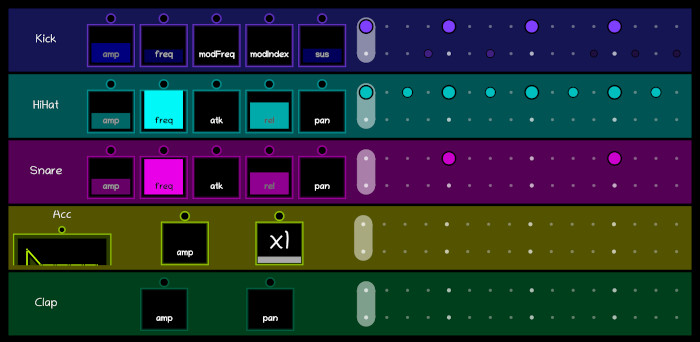
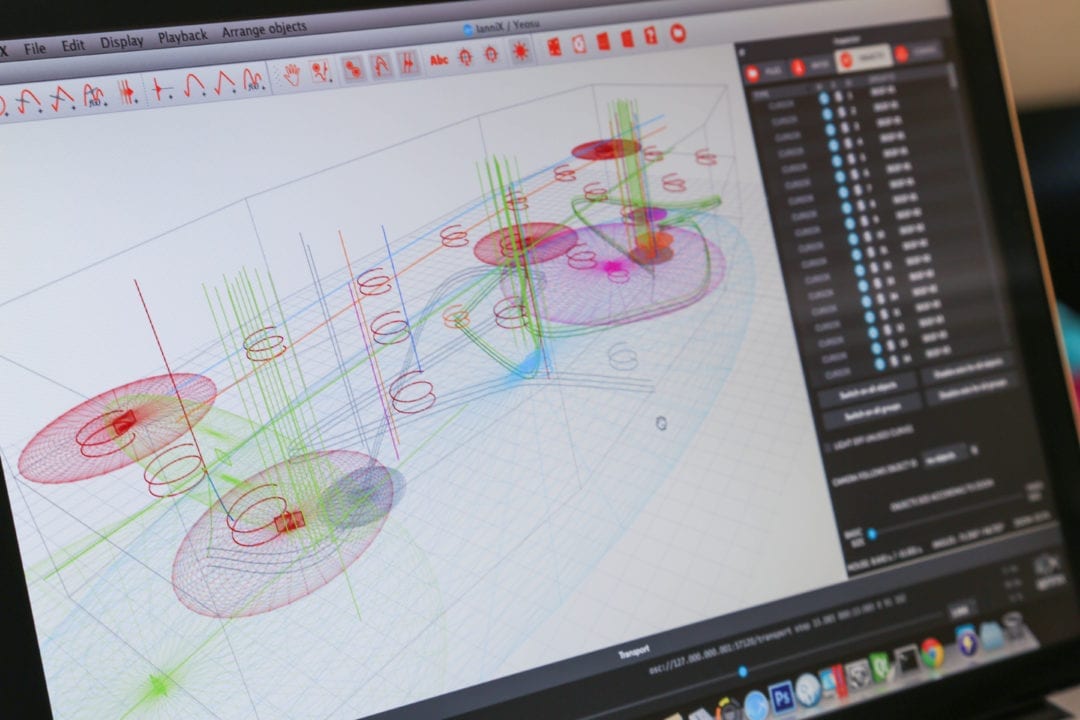
This what the conductor interface looks like :

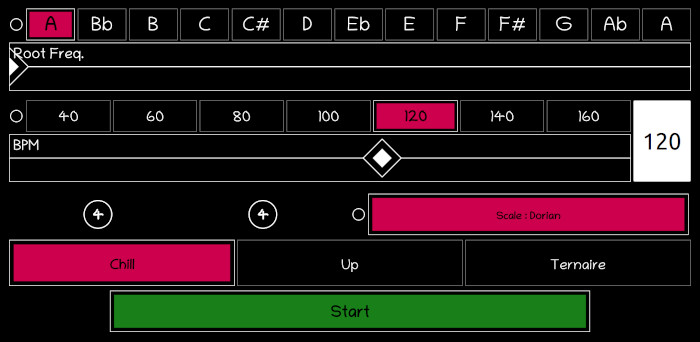
There’s for example (and simplifying) a slider (UI concept) that allows you to modulate (musicology concept). In term of visual score, the ‘tempo’ slider position could be seen as an equivalent to adagio, etc…

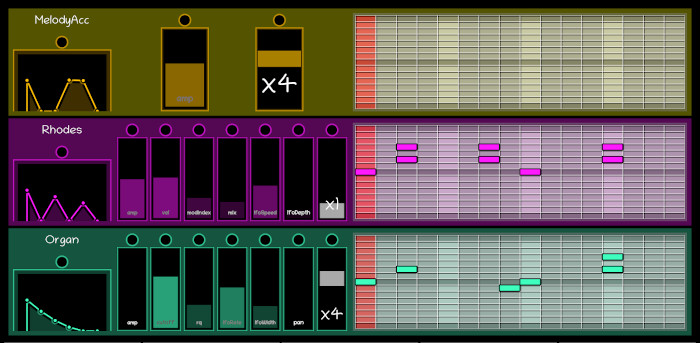
Tracker interface. On the left, this is kind of a score of the instrument physical characteristics. In the right, the tracker itself is equivalent to rhythmic notation (thus lacking the duration of the itself).

Same here, but with tonal notation. With the informations provided on the right, I could write the equivalent score with a classical notation ! But, what’s important to me is that now, and with the help of interactivity, you don’t need to learn musical notation to construct your own language about what you’re doing ( see Wittgenstein ).

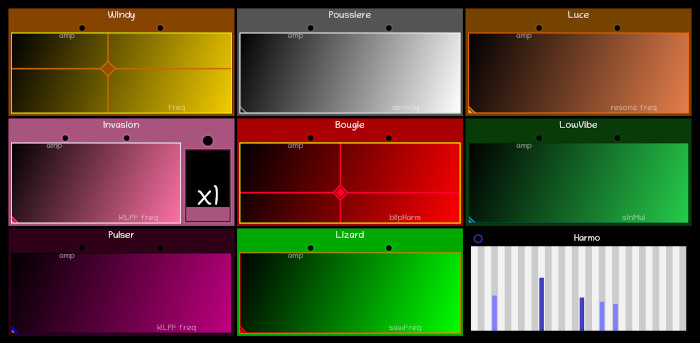
A bit off topic, but here, a really intuitive way to compose without knowledge prerequisite. This works with children, just with body language explanation.

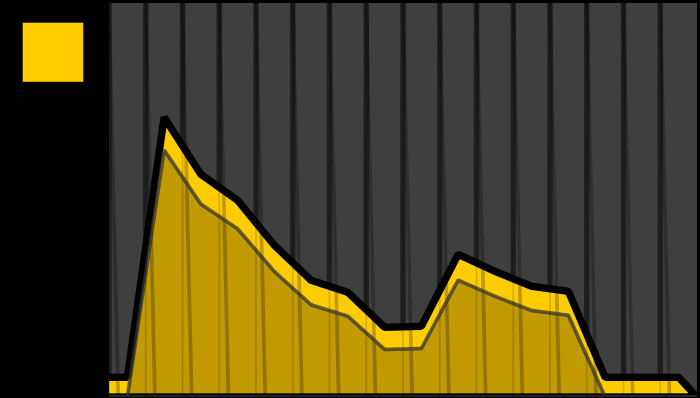
Here, a custom envelope representation, to extend to the idea of having a score that itself can be a piece of art.


In hope this answer that I find both too long and too short will be helpful.


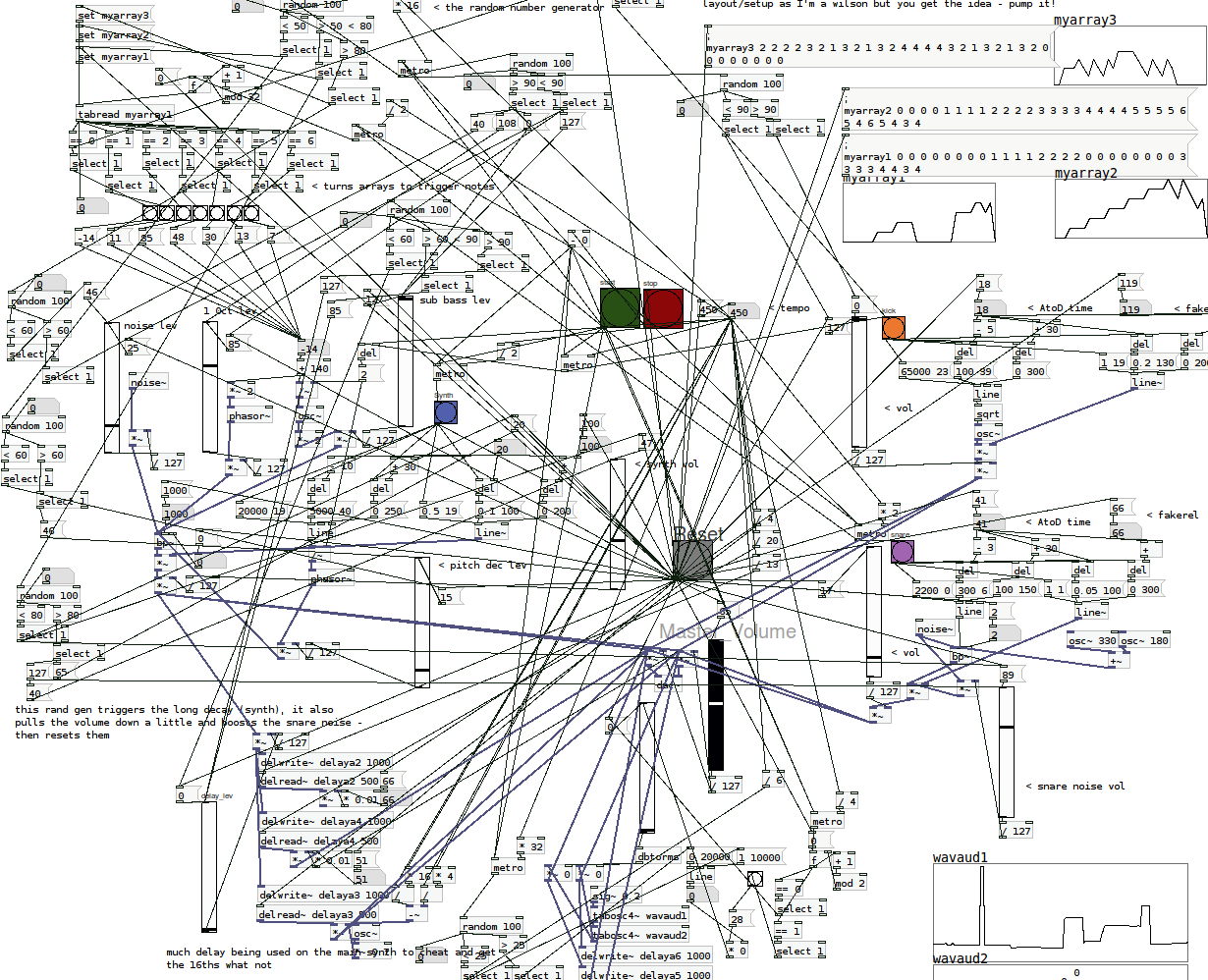
Also have a look at what PureData patches look like, and what kind of score you can write with the Iannix sofware.

D.

4 Likes

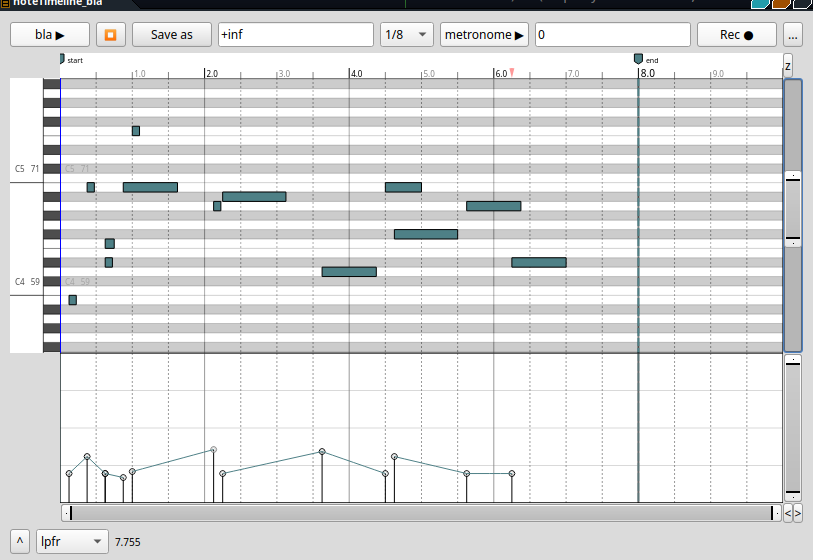
Hello, not sure if it’s what you are looking for but I’m working on implementing timelines GUI in supercollider.

The principle is to have a list of Event like a pattern can generate and for each event, choose a key for the x axis (generally \dur) and a key for the y axis (for example \midinote). Events are very flexible in supercolldier, this way you can put anything into the timeline, from notes to Pdef, and even other timelines, or automations (events that set bus value)

8 Likes

That is amazing! I’ll give that a bit of a spin. The “muscial timing” part of supercollider has been the most daunting to me by far, so your GUI tool looks very promising.

5 years ago I took part in a performance of Mauricio Kagel’s “Prima Vista” for diapositive and an unspecified number of sound sources.

For that occasion I wrote a supercollider program where I could draw slides like the ones Kagel created and have supercollider perform them.

I haven’t looked at its code since then, but I guess there’s no reason why it shouldn’t work anymore: https://github.com/shimpe/cokacola

Thanks all for these responses (@shiihs if you’d like to post a screenshot or two, that would be most welcome). It’s great to see what people are up to, and I’ll aim to include a link to this thread in my text.

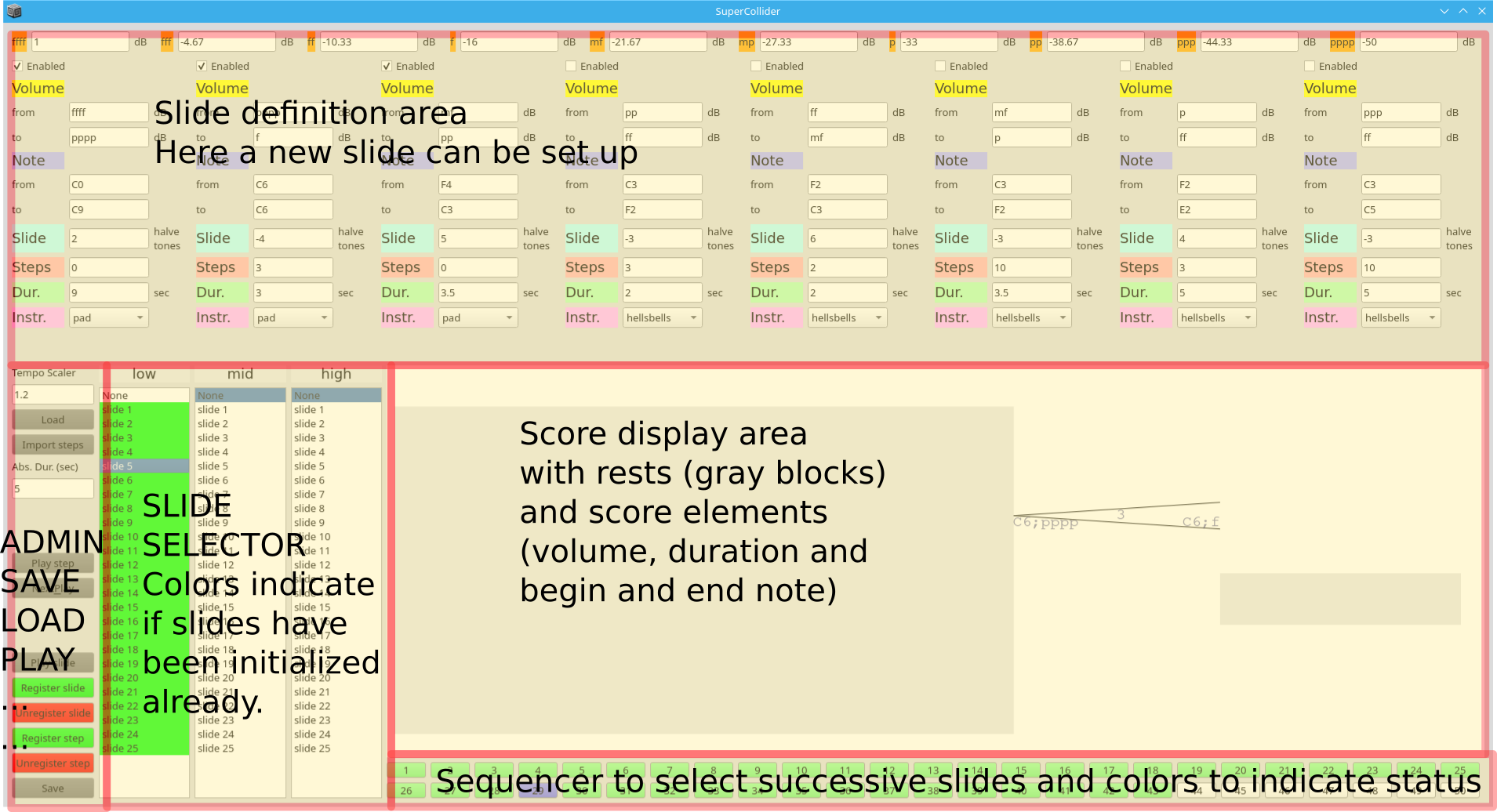
Here’s a screenshot of the system:

A second screenshot with some annotations:

1 Like

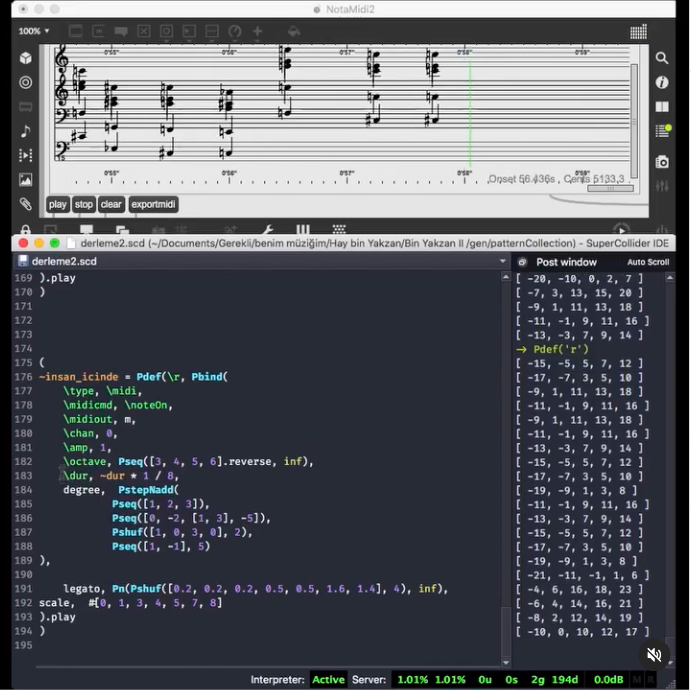
I find that SuperCollider and the Bach Library for Max/MSP complement each other really well when experimenting with real-time pattern manipulation, especially when there’s a need to visualize the stream in standard notation. The Bach library’s piano roll object can transcribe incoming MIDI data on the fly. I often use this setup when playing around with patterns, exporting fragments I like to incorporate into instrumental compositions in some way. SuperCollider definitely holds a lot of potential for works in the acoustic concert music realm too!

2 Likes

Yes, the Bach Project is fantastic!

I noticed the lack of similar functionality in SuperCollider, so I created a test version myself:

I plan to rewrite it for the following reasons:

  • Correcting typos in the pitches.
  • Optimizing the code structure to improve efficiency.
  • Incorporating score display within sclang using WebView.

I hope to dedicate several weeks to focus on this project fully.

3 Likes

Hello everyone, I have started developing a project with the goal of creating a score viewer for Supercollider using the VexFlow library and Supercollider’s helpBrowser. The class converts data generated from a Pbind into musical notation.

The aim was to create a lightweight, easy-to-integrate tool for real-time work with instruments and electronics.

As I am not a proficient JS programmer, I utilized AI support to develop features and understand how VexFlow works.

The project is in its early stages of development, and I welcome suggestions, feedback, and potential collaborations.

The code is available at Github

3 Likes

Thanks for this!

I placed your library folder in ~/Library/Application Support/SuperCollider/Extensions/.

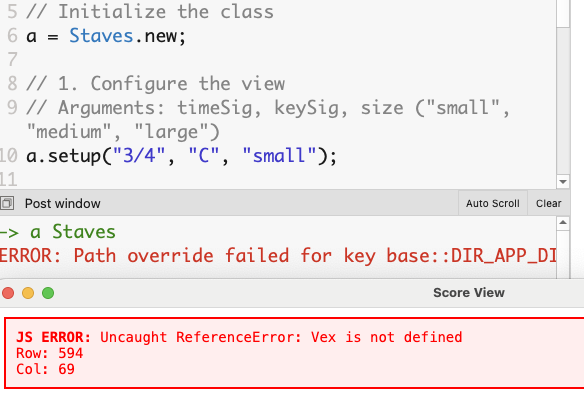
I got the following error when evaluating the second line:

a = Staves.new; // ok!

a.setup("3/4", "C", "small"); // reruens an error!

Could you help me?

1 Like

Hi prko…

I apologize for the error you encountered. For the class to work, vexflow.js must be in the same folder as Staves.sc, and you must install JSONlib.

I will add more details about this in the documentation.

JSONlib

Just run Quarks.install(“JSONlib”); in Supercollider.

Vexflow

  1. Download Vexflow at: Releases · 0xfe/vexflow · GitHub
  2. Locate vexflow.js file in the build/cjs folder.
  3. Copy vexflow.js to the Extensions/Staves folder.

Regards!!!

Thanks!


This is not a valid code:

Quarks.install(“JSONlib”)

It should be:

Quarks.install("JSONlib")

Anyway, I get the following error:

→ a Staves
ERROR: Path override failed for key base::DIR_APP_DICTIONARIES and path ‘/Users/prko/Dropbox/prko/__myDocs/Writings/Making Sound using Open Sources/mixed/dev - Bleeding edge/SuperCollider.app/Contents/Frameworks/QtWebEngineCore.framework/Versions/A/Helpers/QtWebEngineProcess.app/Contents/MacOS/qtwebengine_dictionaries’

when evaluating the example code provided in the help document:

(
// Initialize the class
a = Staves.new;

// 1. Configure the view
// Arguments: timeSig, keySig, size ("small", "medium", "large")
a.setup("3/4", "C", "medium");

// 2. Generate score from a Pbind
// The system automatically converts durations and pitches (including microtones)
p = Pbind(
    \degree, Pseq((0..5), 1),
    \dur, Pseq([
        0.5/5, 0.5/5, 0.5/5, 0.5/5, 0.5/5, // Quintuplet
        0.25, 0.25,                        // Sixteenth notes
        0.5                                // Eighth note
    ], 1)
);

// Render 8 events from the Pbind, optionally quantizing to 16th notes (0.25)
a.createScore(p, 8, 0.25);
)

Hey prko…

It seems that your errors are related to how SuperCollider is installed. From what I can see, your installation appears to be inside the Dropbox folder, is that right? I don’t know much about macOS. I know there are issues involved with permissions and access to specific folders.

Inside the Staves.sc class, the paths to the dependencies are built in the lines…

  init {
        notesData = [];
        localPath = PathName(this.class.filenameSymbol.asString).pathOnly;
    }

and

        htmlPath = localPath ++ “Staves.html”;
        vexPath = localPath ++ “vexflow.js”;

        if(File.exists(htmlPath).not) { ^“Error: HTML not found”.error };

        htmlString = File.readAllString(htmlPath);

        if(File.exists(vexPath)) {
            htmlString = htmlString.replace(
                “<script src=\”vexflow.js\“></script>”,
                “<script>” ++ File.readAllString(vexPath) ++ “</script>”
            );
        };

Check that these paths are valid for your installation.

The idea is that for canonical SuperCollider installations that adhere to the global environment variables indicating the folders …/supercollider/Extensions/…, everything should work.

Thank you very much for your kind help.

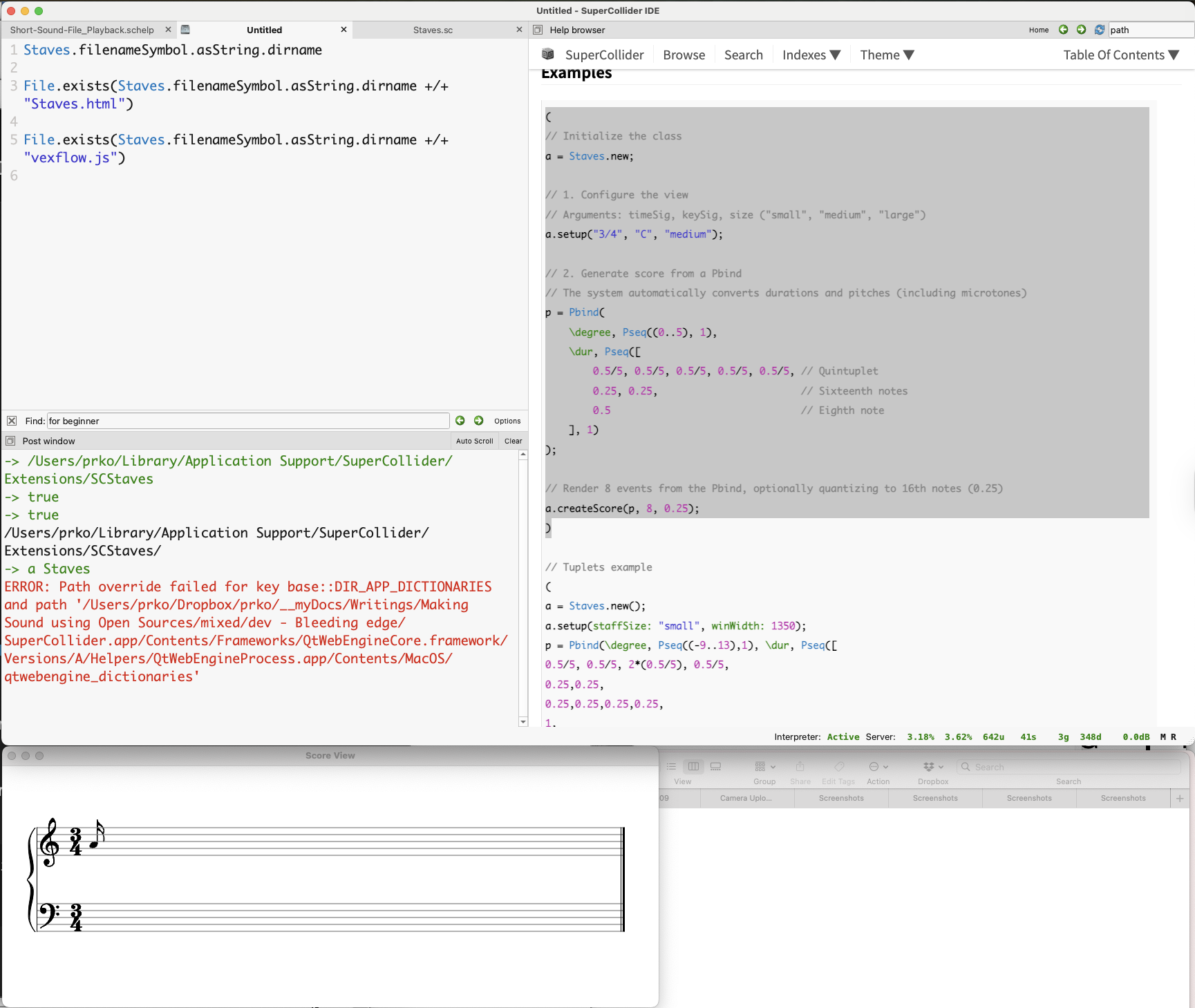
Here is the path to the Staves library and the confirmation that the core files exist:

Staves.filenameSymbol.asString.dirname
-> /Users/prko/Library/Application Support/SuperCollider/Extensions/SCStaves

File.exists(Staves.filenameSymbol.asString.dirname +/+ "Staves.html")
-> true

File.exists(Staves.filenameSymbol.asString.dirname +/+ "vexflow.js")
-> true

So I believe the SuperCollider path itself is not the issue.

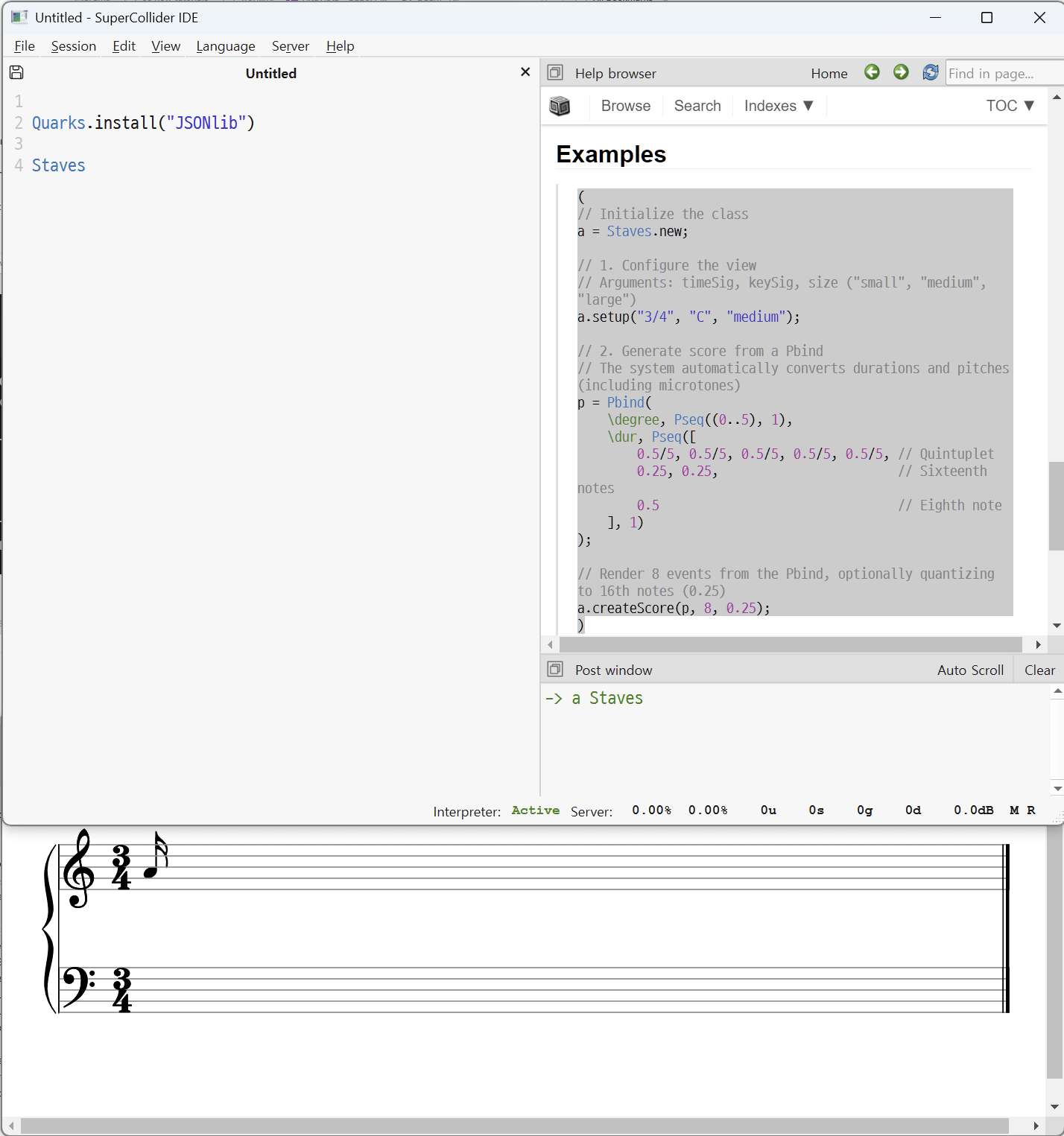
I also tested this on Windows. On Windows, it does not return an error and displays a note as follows:

On macOS, however, it returns an error while still displaying the same note:

I am currently using SC 3.15.0-dev on Windows 11 and macOS 15.7.3.
I mainly work on macOS, while I use Windows 11 for my students and Ubuntu 24.04 only to check whether certain features behave consistently across all three platforms.
If you don’t mind sharing, may I ask which version of SC and which operating system you are using?

Hi!!

I appreciate the interactions. As this is still a very early stage project, contributions to improve cross-platform compatibility are very welcome.

If it works on Windows but not on Mac, there is probably some incompatibility issue with SC’s communication with the Qt libraries that render SC’s webBrowser.

After researching the error a little, I saw that it is a warning related to where you installed SuperCollider. It seems that the Qt library responsible for rendering SuperCollider’s webKit is looking for resources in places where it cannot find them. But that wouldn’t break the rendering. That’s why you can see the rendered note.

In the example you ran, there was a remnant of a test I did that is drawing only one note. Try change one value in help example in a.createScore … (last line)

(
// Initialize the class
a = Staves.new;

// 1. Configure the view
// Arguments: timeSig, keySig, size ("small", "medium", "large")
a.setup("3/4", "C", "medium");

// 2. Generate score from a Pbind
// The system automatically converts durations and pitches (including microtones)
p = Pbind(
    \degree, Pseq((0..7), 1),
    \dur, Pseq([
        0.5/5, 0.5/5, 0.5/5, 0.5/5, 0.5/5, // Quintuplet
        0.25, 0.25,                        // Sixteenth notes
        0.5                                // Eighth note
    ], 1)
);

// Render 8 events from the Pbind, optionally quantizing to 16th notes (0.25)
a.createScore(p, 8); // render 8 pbind events ... not just 1...
)

Or try this more complex example:

(
a = Staves.new();
a.setup("4/4", "D", "small", winWidth: 1350);
p = Pbind(\root, 3, \degree, Pseq((-9..13),1), \dur, Pseq([
0.5/5, 0.5/5, 2*(0.5/5), 0.5/5,
0.25,0.25,
0.25,0.25,0.25,0.25,
1,
0.25,0.5,0.5,0.75,
0.33, 0.33, 0.33,
0.166,0.166,0.166,
0.5],1));
a.createScore(p, 23);
)

I never use any software in the development version. I am quite conservative about this to facilitate access for musicians who play my music and are not very tech-savvy.

My version of SC is 3.13.0 in the standard Ubuntu (24.04) package, and with my students, I use SC 3.11 (Debian 12).

Thank you very much for your efforts and feedback!!!

1 Like

QT version changed in 3.14, and I believe the error on macOS may be caused by this.
I tested your library after moving SC to /Applications/, but the same error occurs.

With your two new codes, I see the score rendered properly. That is excellent.
However, I think it would be better to develop your library using SC 3.15.0‑dev.

I have an additional question: are you planning to implement MusicXML export support in your library?

In my own quark (which isn’t published officially), I’ve implemented a way to render MusicXML within sclang using a WebView. It functions quite well, though this code isn’t yet in the public repository. The remaining task would be to implement the conversion from Patterns to MusicXML… If you were planning to add MusicXML support to your library, I could perhaps avoid maintaining a separate quark for this purpose. Dedicating the several weeks required to build a robust converter is something I find difficult to schedule at the moment.

Hello…
Thank you very much for your feedback. I’ll look into what has changed with Qt in the macOS versions.

When I thought about creating this small class, I didn’t intend to create support for MusicXML. I thought of something that I felt was missing in SuperCollider, which was a simple and fast score renderer that was more integrated with SuperCollider itself. The project even starts from the idea of extending a method to Pbind itself. Something like Pbind(…).createScore;

I have several works for instruments and electronics that need to generate scores in real time and show them to the musicians. Renderers that depend on external software have never worked for me in these situations, besides being quite complicated to manage via Supercollider and requiring the installation of more software, version controls, etc., which creates enormous difficulties for the musicians who will play the works.

For these cases, LilyCollider and Superfomus seem to be very robust tools, in addition to their own class, which (I just started looking at it) seems to be fantastic and much less bureaucratic.

Best regards

1 Like

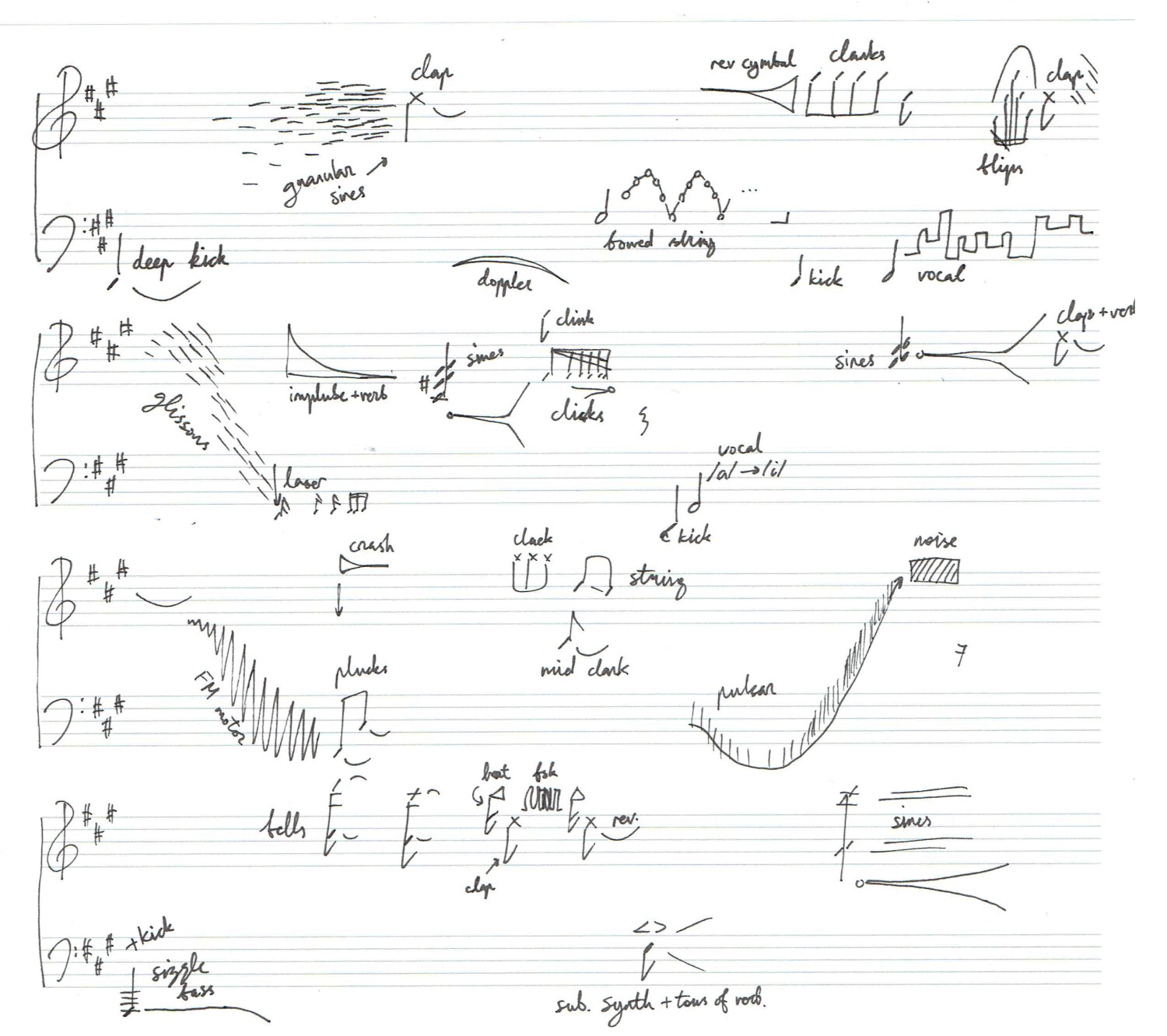
Here is a more low-tech workflow that may be of interest. I write scores with pencil and paper and then use them as a guide to program things manually into SC. This gives me mental separation between composition vs. production. It’s also nice to bring my notebook to a park bench and work on music (more music and less screen time).

The level of detail of the score varies. Sometimes it’s just a formal outline, sometimes it’s Western music notation with various ad hoc symbols and annotations.

Here’s the score for the first minute of my track “We Regret the Error II” (collaboration with Lime68k):

.

(I regularly change and override things when moving from score to production, if something doesn’t sound as good as it did in my head.)

5 Likes